
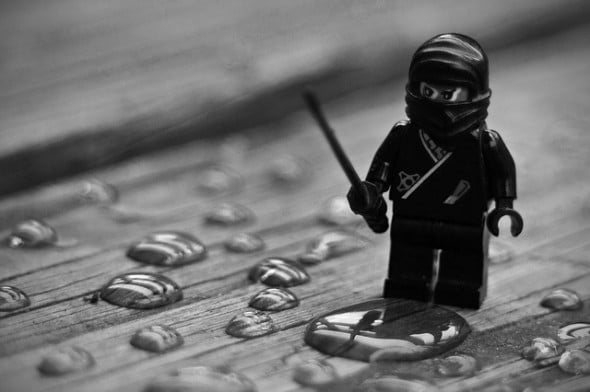
Believe it or not, productivity can be learned, grasshopper.
Yeah, I didn’t believe it either..until I transformed myself into a productivity ninja.
Today, I’m going to teach you to maximize your time at your computer, dominate your email in-box, and spend less time on unimportant tasks to focus on what really matters. Once you have freed up your time, you’ll be surprised how you’re able to hang out with friends and family, pick up new skills, spend more time exercising, or cook healthy meals.
Like Neo learning Kung Fu, today I shall teach you the skill of productivity.
My story
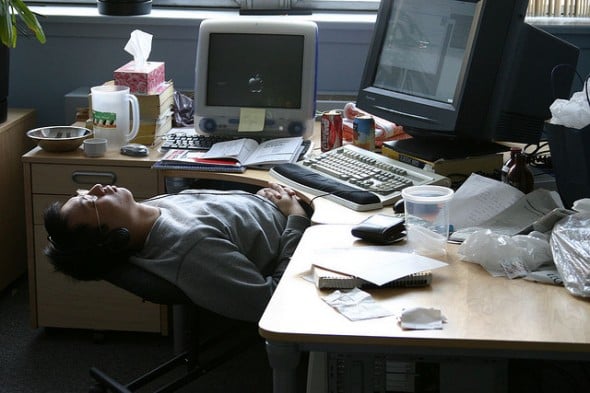
I am the world’s best procrastinator.
For the past three years:
- Every single article you’ve read on Nerd Fitness was either written very late the night before or the morning of its publication.
- I would spend 10-15+ hours a week on just Nerd Fitness emails.
- I usually slept somewhere between five and seven hours a night.
- I would freak out before traveling, work WHILE traveling (instead of enjoying my trip), and then spend weeks afterward catching up.
- I always felt like I was behind and overwhelmed.
I used to think I was justified in my horribly unproductive, time-consuming behavior because I was running a business.
I finally came to the harsh realization that I was lying to myself.
So I dumped ALL of my effort into building the habit of productivity.
Just two months later, my life is drastically different:
- I sleep 8-9 hours a night, something I have never done before. I’m in bed by 11 usually and up around eight.
- I am two full weeks ahead on Nerd Fitness content – This article was written two weeks ago in a coffee shop during the middle of the day (something I never could have done before).
- I only check my email a few times per day.
- I have packed on 15 healthy pounds by hitting EVERY workout and every diet goal over this time.
- I started attending Yoga classes, volunteering, golfing, hiking, and reading.
I actually feel in control of my life now. I have time to do the things I love, complete the work that needs to be completed, AND have some fun along the way.
I want to get you to that point too.
The issue with multi-tasking
Just because you CAN do eight things at once doesn’t mean you SHOULD do eight things at once.
I used to pride myself on multi-tasking, and being REALLY good at it.
Little did I know (or want to admit) that multi-tasking makes you suck at everything.
We have a finite amount of awesome in our brain. Every time we have to shift back and forth between tasks, we use up some of that awesome to get back on target. Because we’re constantly changing our focus – from writing or problem solving, to email reading and gchat conversing – we never get good at the thing we really need to do.
There’s a simple solution:
STOP MULTI-TASKING.
Instead of doing eight tasks at once that will take you six hours to complete (poorly), do one task completely, and then move onto the next. You’ll do better work, finish faster, and move onto other tasks that you actually enjoy.
For years I ONLY did my best work at night, and I thought that’s just how I was programmed to function as a human.
Not true, and here’s why:
- During the night, I had ZERO distractions (everybody was asleep!) and I was up against a hard deadline (article publish dates usually) to produce finished content.
- During the day however, I allowed myself to get distracted while trying to multi-task everything. I would write an article while checking email, talking on Gchat, sending texts, and updating Facebook.
Tasks that should’ve taken me minutes took hours. I was multitasking my way into a really awful and inefficient use of my time.
DON’T BE LIKE ME! Understand that the sooner you stop multi-tasking, the sooner you’ll get tasks done.
- If you are writing an article, paper, or memo, JUST write that article, paper, or memo.
- If you are checking email, respond or filter EVERY email in the inbox, and then move on.
- If you are updating a spreadsheet for work, ONLY update that spreadsheet.
STOP MULTI-TASKING! In order to do that, you need to remove distractions from your workspace so that you can ONLY focus on what you’re doing.
On top of that, set hard deadlines with rewards. If you need to write a article, paper, or memo, set a deadline, and don’t allow yourself to have a reward until your task is completed:
- No email until the task is completed.
- No lunch until the proposal is finished.
- No Facebook and Twitter until the article is turned in.
Easier said than done, I know…Which is why we’re not going to leave this up to us!
Use technology to your advantage

If you are unproductive, it’s because you have trained your brain through days, weeks, months, and years to form unproductive habits.
Habit change is hard, so rather than leaving it up to willpower, let’s use technology to help us break the bad habits!
Here’s how I did it:
Step 1) Track where you are spending your time. You know how it’s pretty eye opening when you track your calories and realize just how far off you were from what you thought you were eating? Try tracking your time too! Use a program like Rescue Time or a simple excel sheet blocked out in 30-minute sections to see how you’re spending your time.
Step 2) Download “Self-control” for Mac or Self-Restraint for PC. Select a list of websites that you want to block for a certain amount of time. Once the application is turned on, there is NOTHING you can do to access those sites while the timer is running (uninstalling the program or restarting your computer won’t work).
When I am in writing mode, I set Self-Control for an hour and lock myself out of Twitter, Facebook, YouTube, Gmail, IGN, Yahoo, and Perez Hilton (kidding).
Yes, for the first two or three weeks, I struggled. Every few seconds while typing an article, I’d quickly open a new tab and typed “facebook.com” before I knew what I was doing. “Page is unavailable.” Oops, back to work. For weeks this went on; however, slowly but surely over time I stopped going to sites I knew I couldn’t access, and instead just got my damn work done. Now, I don’t even need to turn on Self-Control to get things done, because my brain has re-learned to focus.
This one program alone has increased my productivity tremendously.
Step 3) Sign out of chat – Look, I get it. I was that guy for years – In between every sentence typed for an article or a project, I would switch to chat to continue connecting with my friends, and then have to spend extra time getting back into writing mode. Repeat this process hundreds of times over the course of a day, and hours are wasted.
- Unless you NEED to be signed in to chat for work, get the hell outta there! This has been tremendously helpful for allowing me to focus and get things done. Give yourself certain times of the day to be on chat: after you’ve finished your first few tasks, at the end of the day, or once you get home and have nothing pressing to work on.
- If you do need to be on chat (like I do with the other members of Team Nerd Fitness), use a program like Adium and create a special account JUST for work. Set your status to RED-AWAY and put up a “do not disturb” message.
Dominate your email
What’s the FIRST thing you do once sitting down at your computer? I bet it’s check email.
Even worse, do you check your email while lying in bed when you wake up in the morning on your phone?
How many tasks get pushed to the side due to getting lost in email chaos each morning?
NO MORE, I say! This needs to stop. Right meow.
I’m going to assume you spend a majority of your day at a computer. Not only that, but I’ll also assume that you check your email a billion times a day, or leave the window open to deal with email as soon as your phone buzzes or computer beeps.
It’s time to become an email ninja.
STEP ONE: Turn off email notifications. If you are on Gmail, don’t keep the tab open all the time. Better yet, block yourself from Gmail.com when you’re not using it! If you use Microsoft Outlook or another desktop program, turn off the buttons, noises, numbers, and notifications that signal when you have a new email. Consider setting specific times when you can check your email, or only after specific tasks.
STEP TWO: Get your Gmail under control. If you don’t use Gmail…what kind of nerd are you? KIDDING! Anyways, the tips below I learned from Jared of AwayFind.com for Gmail. You can make adjustments for your own particular email program.
To start, turn on/off a few key features using the Google settings:
- TURN OFF mail and chat notifications in Gmail.
- Set “Go to the next (newer) conversation” as the default option.
- In Labs, turn on the “send and archive” button.
- In Labs, turn on “auto-advance” feature.
- In Labs, enable “background send.”
- In Labs, enable “send and archive” button.
STEP THREE: Make TWO folders in your Gmail account.
- ACTION
- NON-ESSENTIAL
Your goal every time you open your email is to get that landing-page inbox to ZERO. To start, go back through the emails you already have in your inbox (starting at the earliest), and one by one, decide what kind of emails they are.
- If you see an email for a newsletter or announcement that you repeatedly skim but don’t read anymore, UNSUBSCRIBE. Be merciless and get rid of anything you don’t read, you can always sign up again if you really miss it.
- If you are a hardcore social media user, turn off the notification emails you receive every time anything happens. If you’re worried about missing out on some important message, filter them into a special “Social Media” folder, and then hide that folder beneath the “more” button. Check it once a day.
- If you get an email that you actually DO read but doesn’t require action (blog post, Amazon shipment notification, email newsletter) click on “FILTER messages like this,” check “skip the inbox”, and label it as “Non-Essential.”
- For emails that you get from friends, family, co-workers that require action, RESPOND IMMEDIATELY and archive or filter into “Action.” Come back and handle the “Action” emails as quickly as possible when you have time to deal with them, then remove the label once you are done.”
Whenever you check your email for the first time each day, start with the oldest email, and decide what kind of email it is:
- Don’t read anymore? Unsubscribe and archive.
- Non-essential? Filter it into “Non-essential,” read and archive.
- Email from a friend, co-worker, or something that requires a response? Respond immediately and then archive.
- Email that requires a long response? Quickly move it to the “Action” folder and move onto the next one. At the end of the day, come back into the “Action” folder and knock out them out.
You are an email assassin – Get in and out of your inbox so quickly that you don’t even realize you’re in there. This might be overwhelming at first, so start slow. As the days go on, the number of emails to sort will slowly dwindle.
Now, I can get my inbox to Zero every time I’m in there, something I honestly never thought possible.
Other Tips and Tricks

The less clutter you have, the less likely you’ll be to get overwhelmed.
Here are a few other tips and tricks to ensure you’re only spending time doing important stuff:
Pick three big things that need to get done each day, and NO MORE. I stole this tip from Tim Ferriss, and it has worked wonders for me (buy the Four Hour Workweek, if only for the sections on elimination and productivity – WELL worth the price). Pick THREE big things you need to accomplish before the day is up. Don’t create a list of 100 things – you’ll just pick the easy stuff to avoid the important things.
I’ve read Getting Things Done; I’ve paid big bucks for programs like OmniFocus to organize my to-do list. This very basic 3 big things has been the only thing that works for me. Because I know what I need to do the next morning, I don’t have to check email in the morning before completing the first task.
Declutter your desktop. I use a program called QuickSilver on my Mac to bring up programs so I don’t have to use my menu-bar. I have removed ALL icons from the menubar and desktop and keep it hidden. I keep two folders on my desktop (Stuff, and Nerd Fitness). It’s amazing what a clean desktop does for your brain. Thanks to Leo Babauta of Zen Habits for teaching me how to unclutter my computer desktop.
Unclutter your desktop…seriously. Does your desk look like this? What small steps can you take to make it so?
Use InstaPaper or Pocket. This is one I’m still working on. At any time I’ll have 10-20 tabs open at the top of my browser, full of articles and links I want to read later. Instead of doing that, I’ve been (trying to) use InstaPaper. When I find an article I want to read, I quickly click “read later” in my toolbar and close the tab. At the end of the day, I go into InstaPaper and read all the stuff I’ve been waiting on.
Turn off alerts and push notifications on your phone. I know some people who get a new notification when new people follow them on Twitter – that is INSANE. Just because you CAN be connected 24/7 doesn’t mean you NEED to be. Turn off email and social media notifications – you can survive without knowing your twitter followers or @replies instantly. Life goes on.
You might need to alert or “train” your coworkers, friends, and family to get used to your new habits. If your coworkers are unproductive and spend all day in email, it doesn’t mean you need to. Let them know that you’re cutting back on email or chat to be more productive. Your time is important too, you know 🙂
Start small
This is quite a bit of info to take in and apply, I know.
So take it slow. Pick one tiny piece of one part of the advice listed above, and do it today. Filter ONE email. Unsubscribe from ONE newsletter. Block yourself for just FIVE minutes from certain sites to start.
Understand that lots of tiny changes over a long period of time can result in BIG changes. Just ask Optimus Prime or Andy Dufresne!
If you feel like, “sorry this stuff doesn’t apply to me, I can’t be fixed,” I hear you. I fought the advice above for years, thinking that I couldn’t be saved…and then I realized one big universal truth:
Nobody believes your excuses except for you.
You CAN change. I see people transform in amazing ways every single day with this site. It works with weight loss, exercise, and diet, and I know I know for a FACT that it can work with productivity as well.
Leave a comment with ONE thing that you are going to do RIGHT NOW to start becoming more productive. Not after breakfast, not tomorrow, NOW.
Also, if you have questions or want to provide other productivity tips to your rebels, leave a comment!
Start today. Right now. Go!
-Steve
###
Photo source: grasshopper, rock octopus, lego ninja, sleeping office worker, beach ninjas, lego stormtrooper